
Email & SMS automation
Keep Customer Communication Moving Without Sending Every Message Manually
Roxiera Group helps businesses automate appropriate email and SMS communication across the customer journey, from enquiries and appointments to follow-up and ongoing customer communication, so important messages can be delivered consistently without relying on someone to remember every step.
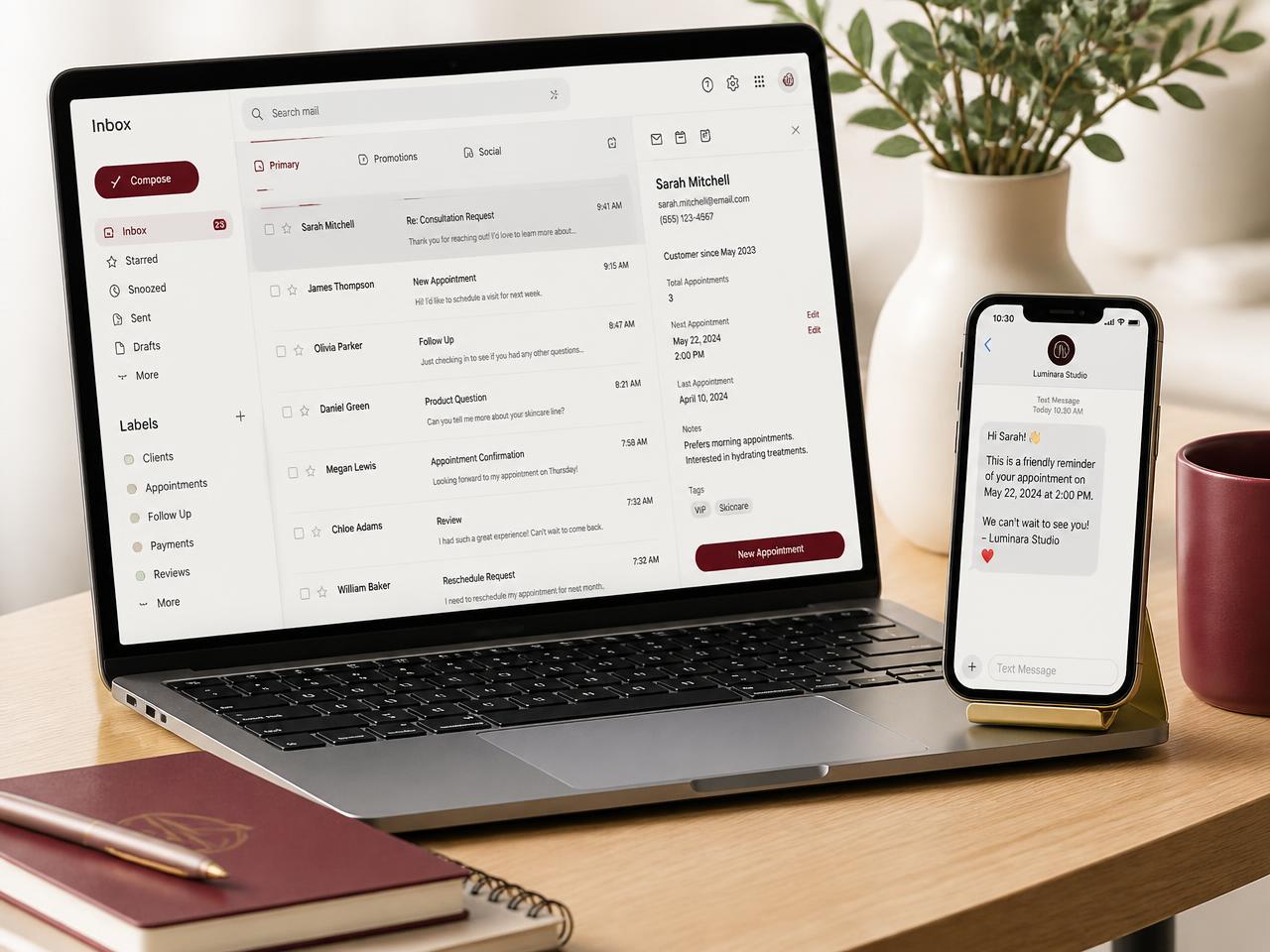
When customer communication depends on manual follow-up
Important Messages Shouldn't Depend on Someone Remembering to Send Them
As a business grows, customer communication can become difficult to manage manually. Enquiries need responses, appointments need reminders, leads need follow-up, and customers may need updates at different stages of their journey. When these messages depend entirely on manual effort, communication can become inconsistent or opportunities can be overlooked.
- I spend too much time sending repetitive customer messages.
- Leads sometimes do not receive timely follow-up.
- Customers need confirmations, reminders, or updates.
- My team has to remember when each message should be sent.
- Customer communication is scattered across different tools.
- I want enquiries to receive an appropriate response even when my team is busy.
- I need better follow-up after appointments, purchases, or enquiries.
- I want email, SMS, CRM, booking, and other appropriate systems to work together.
Roxiera Group designs practical communication workflows around how your business actually operates, helping the right messages reach the right customers at appropriate points in the customer journey.
Automate the right communication
Build Smarter Email and SMS Workflows Around Your Customer Journey
The right automation depends on your business, customers, communication channels, existing systems, and goals. Roxiera Group identifies appropriate communication points and builds workflows that connect messaging with the rest of your business where practical.
Email automation
Automate appropriate customer emails based on agreed events, actions, or stages in the customer journey.
SMS automation
Create appropriate text-message workflows for timely customer communication where SMS is suitable and permitted.
Lead follow-up automation
Help new enquiries move through an organized follow-up process instead of relying entirely on manual reminders.
Appointment communication
Connect appropriate confirmations, reminders, changes, and follow-up communication with scheduling workflows.
Customer journey messaging
Design communication sequences around relevant stages of the customer experience.
CRM-triggered communication
Connect appropriate customer or lead activity in a CRM with agreed messaging workflows where supported.
Internal notifications
Notify appropriate team members when certain customer actions, enquiries, appointments, or workflow events require attention.
Workflow & system connections
Connect messaging with relevant forms, booking tools, CRM systems, websites, and other supported business tools where appropriate.
Not every capability applies to every business or platform. Final workflows depend on your existing systems, integration availability, messaging requirements, and the agreed project scope.
Built around your business
The Right Communication Automation for Your Workflow
Depending on your business, existing technology, communication requirements, and project scope, Email & SMS Automation may include:
- Existing communication workflow review
- Customer journey mapping
- Email automation setup
- SMS automation setup
- Lead-response workflows
- Lead follow-up sequences
- Appointment confirmations and reminders
- Post-appointment follow-up
- Enquiry acknowledgement workflows
- Internal team notifications
- CRM-triggered messaging
- Website form connections
- Booking-system connections
- Appropriate customer-status updates
- Workflow trigger and action configuration
- Message-template setup
- Testing of agreed automation paths
- Basic reporting or measurement setup where supported
- Opt-out and preference-handling configuration where supported
- Recommendations for future automation opportunities
Final services are determined by project scope, business requirements, existing systems, platform capabilities, messaging requirements, and selected software. Third-party software subscriptions, email platform costs, SMS or message charges, carrier fees, and other vendor costs are not automatically included unless specifically stated in the proposal.
Flexible service options
Start With the Communication Automation Your Business Needs
Email & SMS Automation can begin as a defined implementation project. Ongoing optimization and support are available when appropriate but are not required for every engagement.
One-time automation project
For businesses that need specific email or SMS workflows designed, configured, connected, and tested.
Potential work may include:
- Workflow review
- Automation design
- Email or SMS setup
- Trigger configuration
- CRM or booking connections
- Message-template setup
- Testing
- Implementation recommendations
Optional ongoing automation support
For businesses that want continued support as customer journeys, campaigns, services, workflows, or technology change.
Ongoing work may include:
- Workflow reviews
- Automation adjustments
- New agreed communication sequences
- System connection updates
- Performance reviews where appropriate
- Continued optimization recommendations
Ongoing support is optional and quoted separately according to the agreed scope.
How it works
From Manual Messaging to Connected Communication
01
Discover
Understand how the business currently communicates with customers, leads, and team members.
02
Map
Identify important communication points throughout the relevant customer journey.
03
Review
Review existing tools such as the website, forms, CRM, booking platform, email system, and messaging tools where applicable.
04
Design
Determine appropriate triggers, messages, timing, conditions, and human handoff points.
05
Connect
Connect supported systems and configure the agreed automation workflows.
06
Test
Test appropriate workflow paths, triggers, messages, and system behavior before launch.
07
Launch
Put the approved workflows into operation and provide relevant implementation guidance.
08
Optimize
Review and refine agreed workflows over time when ongoing support is selected.
Who we work with
Built for Businesses That Need More Consistent Customer Communication
Email & SMS Automation may be appropriate for businesses that are:
- Receiving regular customer enquiries or leads
- Managing appointment-based customer journeys
- Following up with prospects manually
- Sending repetitive confirmations, reminders, or updates
- Using a CRM but not fully utilizing its automation capabilities
- Growing beyond what manual customer communication can efficiently support
- Connecting website enquiries with internal business processes
- Looking to create a more organized customer follow-up system
Responsible communication
Automation Should Support Permission-Based Communication
Good messaging automation respects the customer as much as it helps the business. Every workflow is designed around the communication your customers expect and the controls your chosen platforms provide.
- Automation should support appropriate, permission-based customer communication.
- Messaging workflows are designed around your intended customer journey and the controls your chosen platforms provide.
- Consent, preference handling, and opt-out pathways are configured where the selected platforms support them.
- Messaging capability, delivery, and available controls depend on the email platform, SMS provider, and carriers involved.
- Businesses remain responsible for their own legal and regulatory obligations, customer data practices, messaging permissions, and approved communication content.
- Roxiera Group does not provide legal advice and does not send unsolicited messages or purchased-list campaigns.
Beyond the message
Connect the Rest of the Customer Journey
Email and SMS automation works best when communication connects appropriately with the rest of the business. These related Roxiera Group services are available separately and are not automatically included.
CRM & Lead Management
Organize customer and lead information that can support appropriate communication workflows.
Enquire about CRM & Lead ManagementFrequently asked questions
Email & SMS Automation FAQs
Not sure which customer communications should be automated?
Start With a Digital Business Checkup
If you are not sure whether the biggest opportunity is lead follow-up, appointment communication, CRM, customer service, booking, or another part of the customer journey, start with a Digital Business Checkup. We'll review the bigger picture and help identify the most practical next step.
Let's improve your customer communication
Ready to Spend Less Time Sending Repetitive Messages Manually?
Tell us how your business currently handles customer communication and follow-up. We'll help determine an appropriate email and SMS automation approach, connections, and next step.